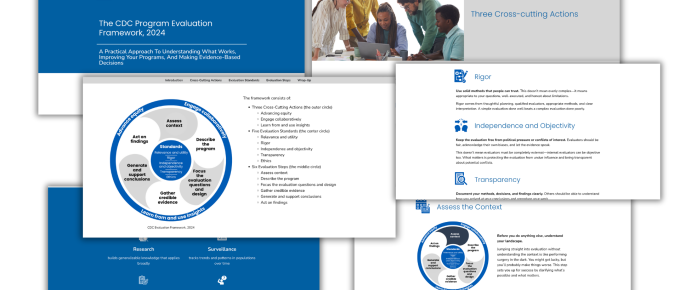
I’ve decided to create a few concepts to show you exactly how I approach adapting pdf reports for the web. These will be unofficial concepts adapted from real reports and resources. My goal is to show you what’s possible.

How it Started – UNICEF Strategic Plan 2026-2029
I originally set out to find a regular old evaluation theory of change or logic model to adapt into an interactive web version. But then I stumbled into this UNICEF Theory of Change/Strategic Plan. While it is labeled as a Theory of Change, it does dive a bit deeper and feels more like a strategic plan
Here are the basics. It’s a 22 page PDF with about 7,200 words written at a grade 18 reading level. I know it sounds like a lot, but I think that’s pretty typical for a global evaluation document. There is a lot of jargon and complex sentences, and only a handful of images. Most of the images are also filled with words.
After looking it through, I decide to turn it into an accessible single page website. I considered only turning the individual Theory of Change image into an interactive page, but decided that the whole thing really deserves a translation.
Step 1. The rewrite.
Before I can get into design, we need to rewrite this. Nobody, including post graduates, want to read something at a grade 18 reading level. It’s also much more likely to be skimmed than read front to back.
So I worked with my handy dandy AI friend to simplify. After a good bit of back and forth we ended up with about 1,800 words. If you’re creating something for a general audience, you should probably try to get it down to an 8th grade reading level. But…since this is a technical thing, I usually aim for 10-12th.
In addition to making it more readable, I focused on making sure all the important information was covered. I also layered it a bit (you’ll see why in a few).

Step 2. Structure
On the web, sections are usually a lot smaller and more focused. And while I could just do a direct parallel of the original structure I want it to feel more like a blog post with an intro, beginning, middle, and end.
Original Structure
I. Introduction (paragraphs 1-5)
II. Global context (paragraphs 6-30)
- A. Progress towards the child-related Sustainable Development Goals (6-18)
- B. Multiple, overlapping crises (19-22)
- C. Global demographic shifts (23-25)
- D. Global debt crisis (26-28)
- E. Financial aid environment (29-30)
- F. Lessons learned (31-33)
III. Programmatic shifts (34-42)
- A. Focus (35-36)
- B. Scale and impact (37-39)
- C. Differentiation (40-42)
IV. UNICEF Strategic Plan Theory of Change (43-106)
- Overall ToC (43-52)
- Impact Result 1: 10 million child lives saved and at least 500 million children healthy, well-nourished and developmentally on-track (53-63)
- Impact Result 2: 350 million more children and young people learning and skilled (64-76)
- Impact Result 3: 100 million fewer children in multidimensional poverty (77-85)
- Impact Result 4: 350 million children protected from violence (86-97)
- Impact Result 5: 500 million children better protected from disasters and climate and environmental risks (98-106)
V. Risks and mitigation measures (107-108)
Annex: Programmatic strategies that complement the UNICEF Strategic Plan, 2026-2029
My Web Structure
The intro section.
- What This Plan Does
- The Five Goals
- UNICEF Strategic Plan 2026-2029 Theory of Change
The context.
- Why This Matters Now
- Progress Is Reversing
- Multiple Crises Are Colliding
- The Future Is Shifting
- How Change Happens
- Five Things Must Work Together
The path forward.
- Three Big Shifts In How We Work
- Goal 1: Save Lives And Improve Health
- Goal 2: Education And Skills
- Goal 3: End Child Poverty
- Goal 4: Protect From Violence
- Goal 5: Climate Resilience
The wrap up.
- What Could Go Wrong
- Our Approach
- The Path Forward
Step 3. Style
Since this is a UNICEF thing, I thought I would just go ahead and use the UNICEF styles. I’m sure if I went to Google, I could probably find the style guide somewhere. But all I really need to know are the fonts, colors, and general style. All of that is pretty easy to find by just going to the website, finding an example, and using a couple of Chrome add-ons.
Specifically I used a tool called WhatFont to grab the fonts and an eyedropper tool called Colorzilla to get the appropriate colors.

One thing I to know about UNICEF is that the bright blue color is not really great for accessibility, especially if you use white on blue or blue on white. There just isn’t enough contrast, so while the color is recognizable it’s a color you can really only use in very specific circumstances.

Finding Images and Icons
One thing that can be good working with large organizations is that they often have their own resource libraries filled with images you can use while designing. Even if you’re working with a smaller org, it’s always a good idea to check and see if they have their own resources before opting for stock images.
UNICEF has a lot of their resources shared online, along with their copyright rules.

The UN also has a page with all of their Sustainable Development Goal icons ready for download.

The icons are great, but I also needed some custom ones. To make it easy I just turned to my friends at the noun project. I have a pro membership (that and Canva Pro make my life a lot easier) and they have a ton of options.

Building the site, section by section.
I tend to develop my reports and resources in WordPress using Elementor Pro. For this kind of report, it’s really as easier as just going section to section, container to container.
WordPress has been around for a long time now, but if you haven’t used it for awhile just know that it’s changed a bit over time. It used to take at least a little knowledge of HTML, CSS, and possibly PHP to really go in and build out themes and custom pages. Now-a-days most sites are built using page builders, and it offers tons of options (which can also be overwhelming).

Layering
Part of web design is finding ways to make a lot of information feel approachable and layering can help with that. One of the easiest ways to layer is to create little subsections.
For each of the Goals I start with a heading. Then I put the actual goal and a single very specific stat that relates to that goal. Then I follow that up with a very short paragraph. For the rest I use little headings that can be expanded for more detail.
I did the same for each and every goal, making it easier to scan. Just keep in mind if you ever do this kind of thing, that anytime you force someone to click on something to see something else you greatly reduce the chance that they’ll see it. But if the tradeoff creates something that’s less overwhelming, it could be really worthwhile.

Updating the Theory of Change
The original Theory of Change in the pdf was a pretty low resolution jpeg file. Instead of just using it, or recreating to up the resolution, I decided to just make a new one.

Like with a lot of Theory of Change diagrams, everything kind of feels a little out of context. What is an enabler? What does it mean that Adolescent girls are accelerators? So I decided to take a little creative license on this too.
Instead of just labeling I created a key along the side to introduce each little section. It also felt like it would work better as a top to bottom format than the left to right format of the original. But that’s just a design choice.
The original used a few basic icons for the goals. I almost did the same but then I decided to use the photos instead. UNICEF has some really nice photographs and I think using some of them here really connects to the underlying mission in ways that the icons don’t.

Ready to see the final product?
You can peruse the after version by following this link.
If this were a real client project I would do a good bit more testing (different web browsers/screen shapes and sizes). I would also link out to more stories and other materials you can already find on the UNICEF site. All that said, I’m pretty happy with how it came out.
Not only does a web version feel sleeker and look nicer, it’s far more likely to be seen because…
- You don’t have to download anything.
- You can read it with your mobile phone.
- It can be quickly auto-translated when using any modern web browser.
Web adaptation isn’t really about competing with the PDF. It’s more like adapting a book into a movie. Each one has it’s place and value. Is it worth the extra effort? If it’s important, I think so. What do you think?

Want more examples?
I plan to create some more concepts. But I’ve also been doing this work for a couple of years now and have some live projects you can check out. You can a bunch to explore in my newly updated portfolio.